Financial freedom — the simple way.
Rahora Budget is a budgeting app for iPhone. You split your income into categories until every euro has a job, log purchases by photographing the receipt, and see which debt to pay off first.
At a glance
- Platform: iPhone (iOS)
- Price: €0 or Premium €3.99/month
- Trial: 7 days free
- Bank: No bank credentials asked for
October · Example
€385.00 unassigned this month
Spent €765 pace €912
- Food
- 193.83 / €650
- Transport
- 110.90 / €140
- Housing
- 54.30 / €160
- Health
- 18.40 / €60
Inside the app
-
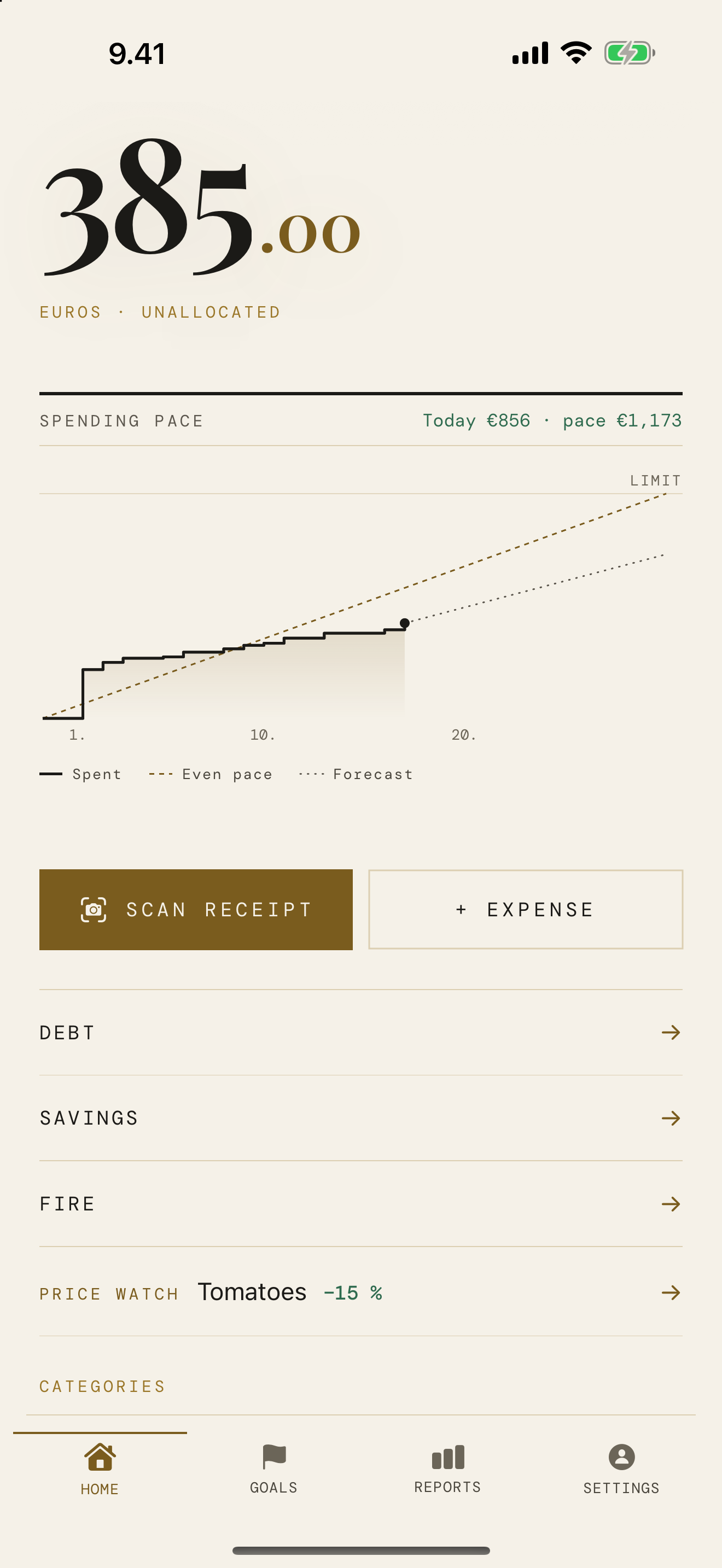
Home: unassigned and spending pace -
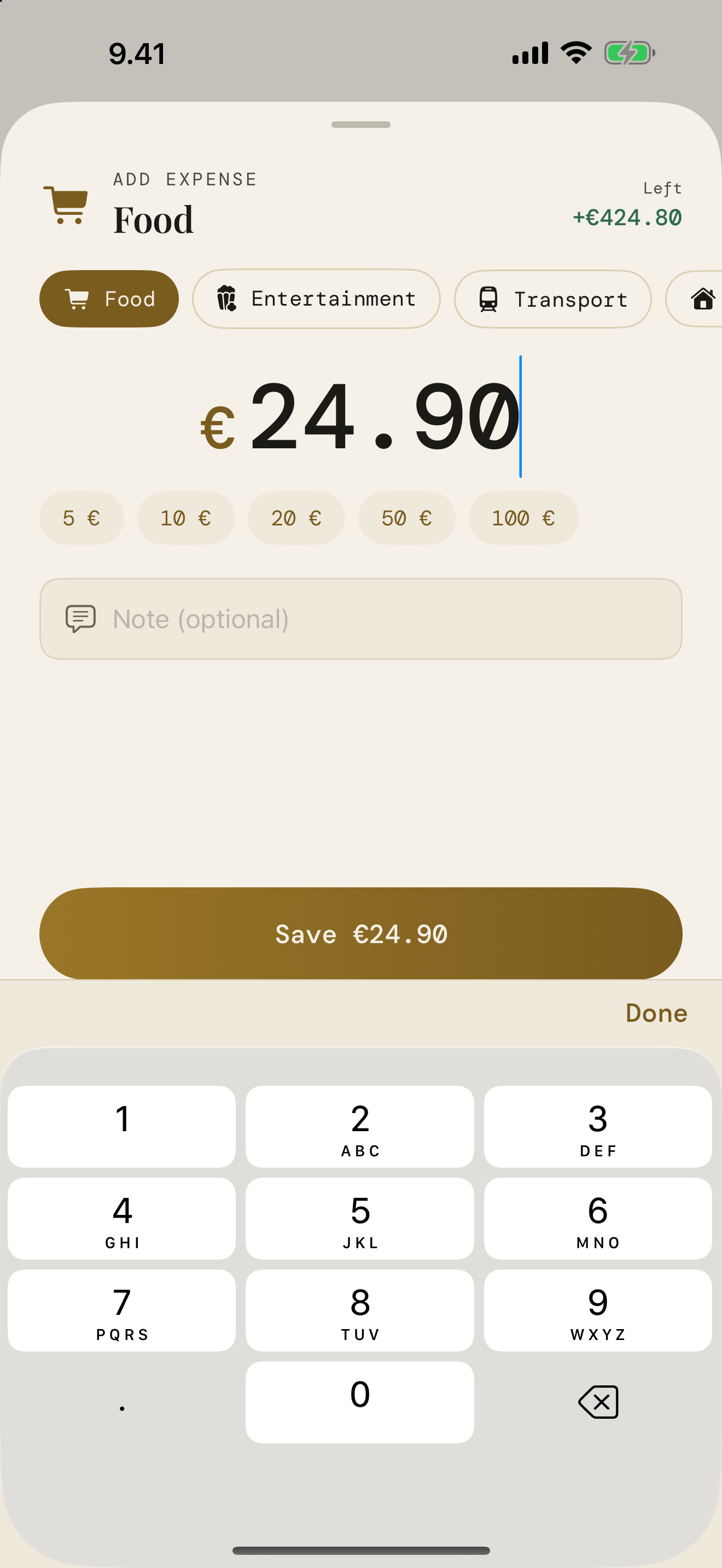
Adding an expense -
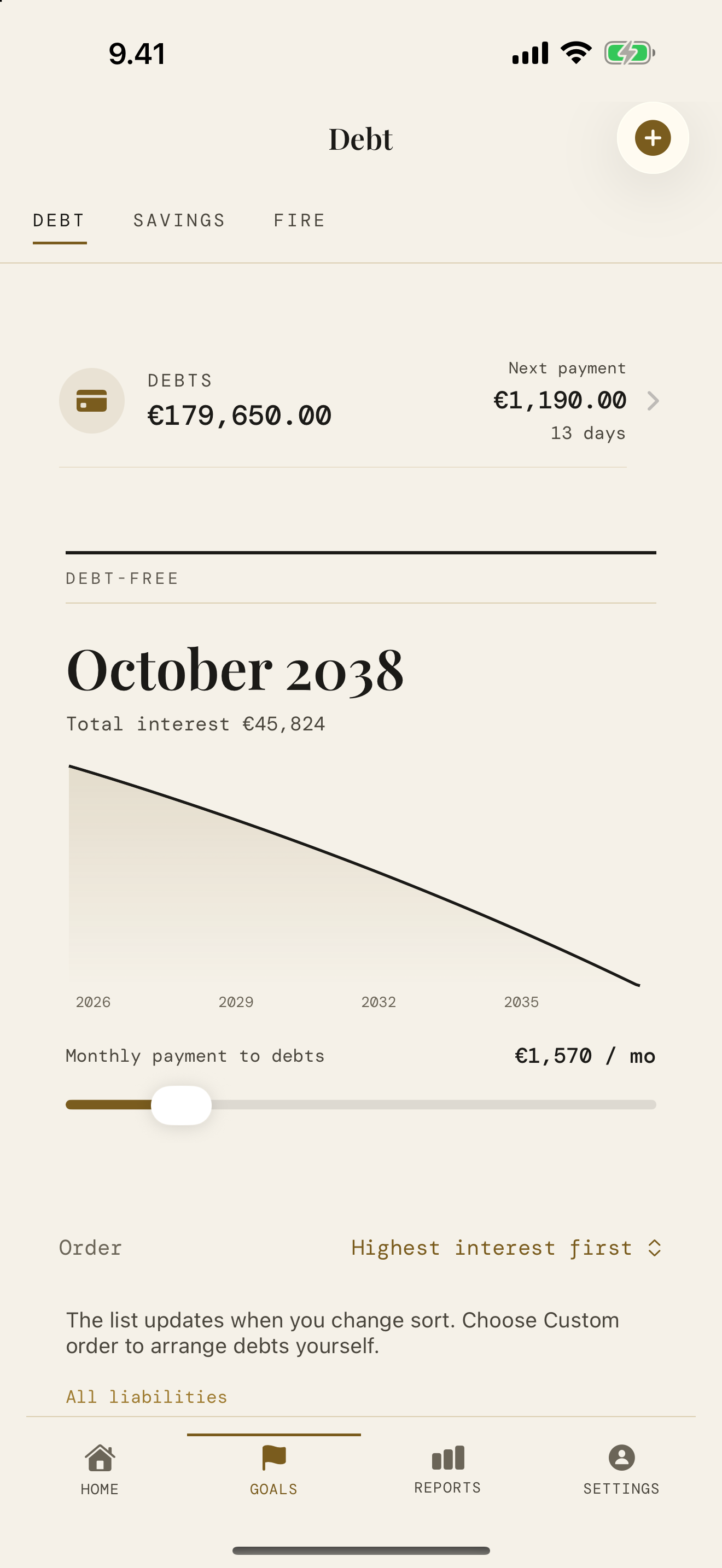
Debts and debt-free date -
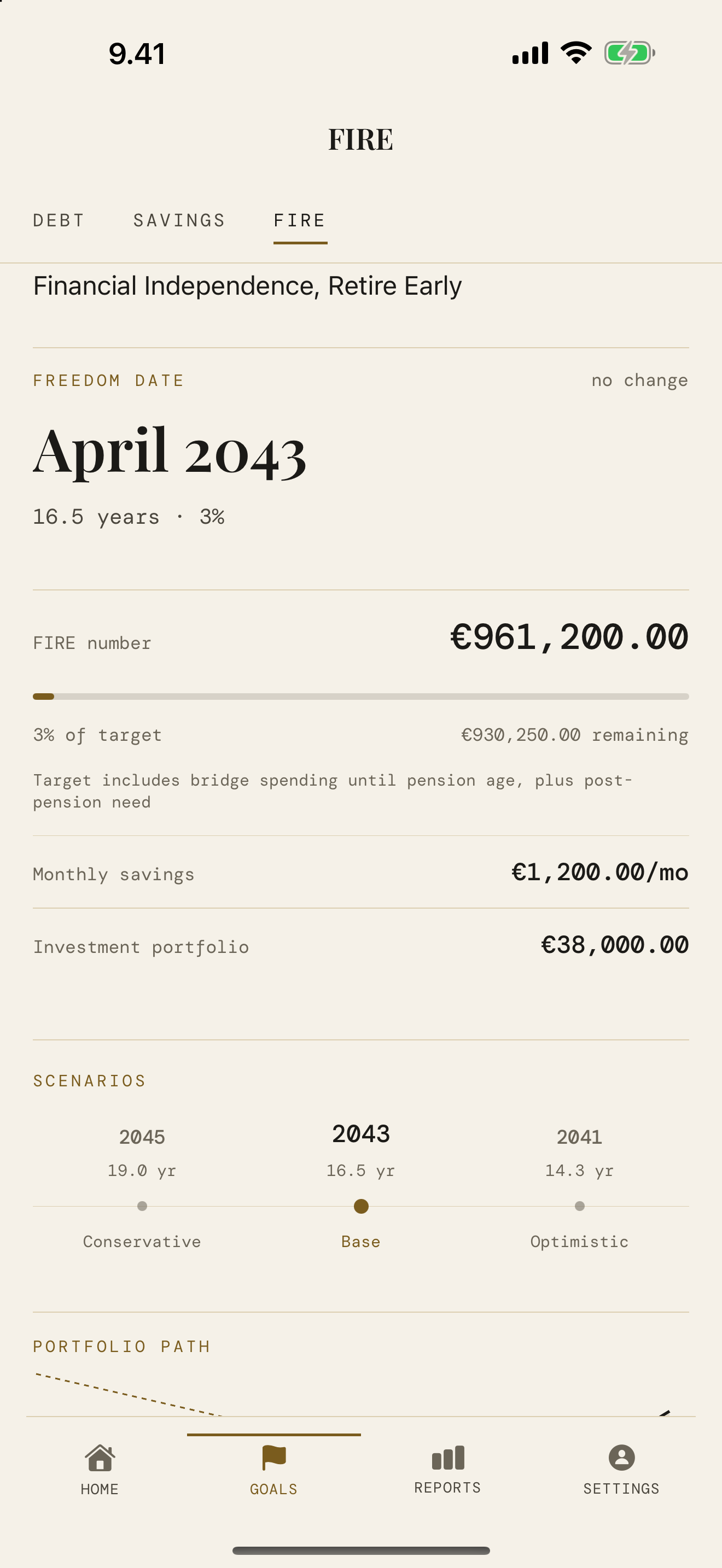
FIRE and freedom date -
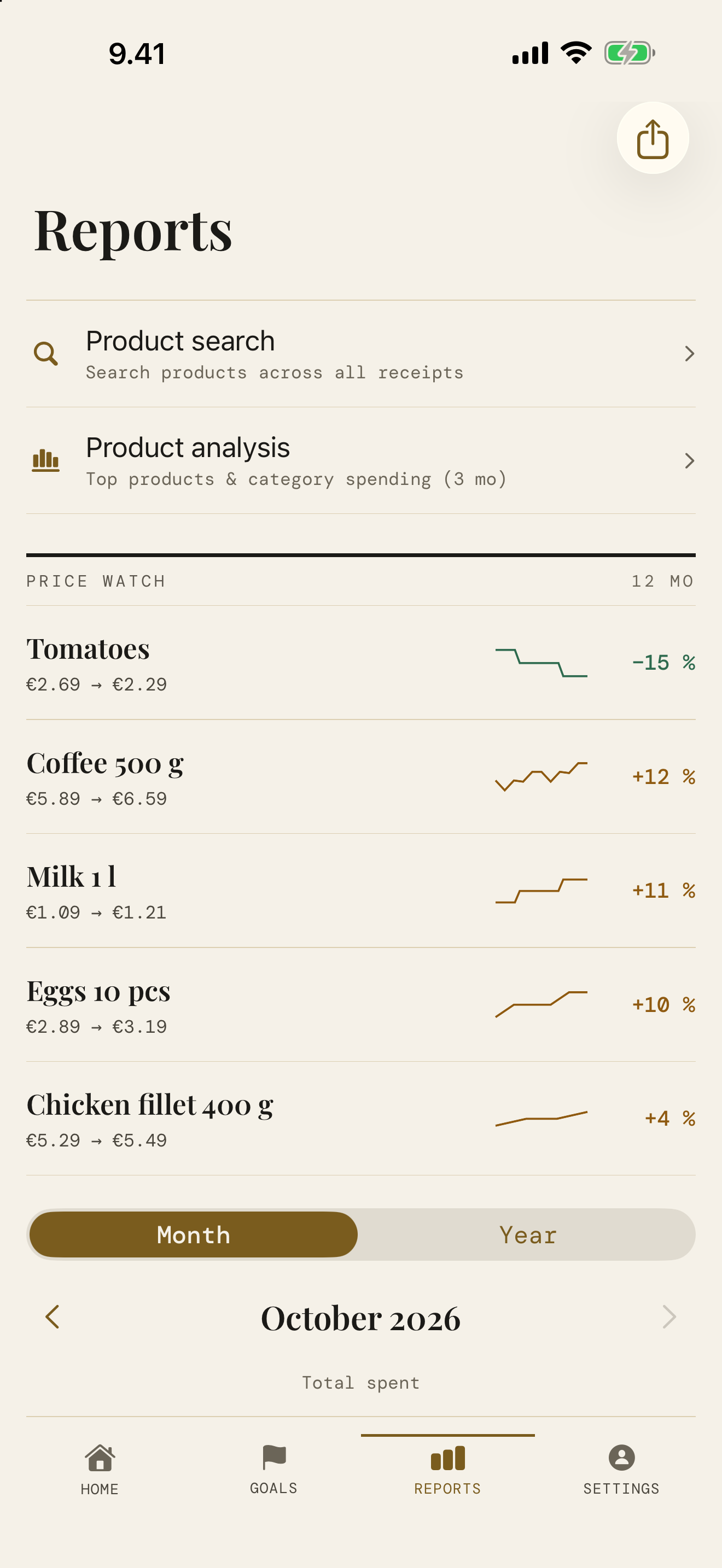
Reports and price watch
App Store screenshots. The figures are examples.
Every euro gets a job
In a zero-based budget you split the month’s income into categories until nothing is left unassigned. Rent, food, transport and savings each get a limit before the month starts.
Rahora compares the sum of your category limits with your income and shows how much is still unassigned. When that number reaches zero, the budget is done.
- Enter your monthly income
- Set a limit for each category
- Assign until €0 is left
- Income
- €2,850.00
- Limits in total
- €2,465.00
- Unassigned
- €385.00
Photograph the receipt, the purchase is logged
| Product | Then | Now | Change |
|---|---|---|---|
| Tomatoes | €2.69 | €2.29 | -15% |
| Eggs, 10 | €2.79 | €3.19 | +14% |
| Coffee 500 g | €5.89 | €6.59 | +12% |
| Milk 1 l | €1.09 | €1.21 | +11% |
| Chicken fillet 400 g | €5.29 | €5.49 | +4% |
When you photograph a receipt, the text is read on your phone. The image is not sent to any server and is not stored permanently.
The recognised text is categorised by Rahora AI, and the amount, merchant and category are saved to your account. In Reports you can search for products across all your receipts and see category spending for the last three months.
- The free version includes 10 AI analyses a month, scans included
- Premium has unlimited receipt scanning
- Purchases can also be entered by hand, without limits
- Price tracking shows how product prices have changed across your receipts
What happens to your data
Summary of the Privacy Policy.
- Bank
- Rahora does not ask for your bank credentials and never connects to your bank.
- Receipts
- Receipt images are processed on your phone. They are not sent to any server and are not stored permanently.
- AI
- When you request an AI analysis, your budget data is sent encrypted to an AI service in the United States. The transfer is protected by EU Standard Contractual Clauses, and your data is not used to train models.
- Storage
- Personal data is stored primarily within the EU, for as long as your account is active.
- Payments
- Payments are processed by Apple. Rahora never sees or stores your card details.
- Deletion
- Delete your account in the app: Settings → Delete Account. Data is removed from production systems at once and from backups within 30 days at the latest.
- Website
- rahora.app uses no tracking or advertising cookies.
The most expensive debt is paid first
You add your debts with balance, interest rate and minimum payment. Rahora shows the total and the next payment due.
Sorted by “Highest interest first”, the list follows the avalanche method: every debt gets its minimum payment and any extra money goes to the debt with the highest rate. That keeps the total interest paid as low as possible. You can also order the list yourself.
| # | Debt | Rate | Balance | Minimum |
|---|---|---|---|---|
| 1 | Credit card Extra money goes here | 19.5% | €1,850.00 | €60.00 |
| 2 | Car loan | 6.9% | €9,400.00 | €310.00 |
| 3 | Mortgage | 3.9% | €168,400.00 | €820.00 |
| Debt-free | October 2038 Total interest €45,824 | |||
- Balance, rate and minimum payment for each debt
- Sort by highest interest or set your own order
- Share paid off shown per debt
See the day your savings are enough
April 2043
| 2045 | Conservative | 19.0 yrs |
|---|---|---|
| 2043 | Base | 16.5 yrs |
| 2041 | Optimistic | 14.3 yrs |
FIRE stands for Financial Independence, Retire Early. Rahora works out your FIRE number, the portfolio size that covers your target spending, and estimates your freedom date at your current savings rate.
The calculation uses figures you enter yourself: your portfolio today, monthly savings, target spending in retirement, investment profile, estimated earnings-related pension and your age. The target covers bridging costs up to retirement age and your needs after it. The result is an estimate, not investment advice.
- Freedom date and progress towards your FIRE number
- Conservative, base and optimistic scenarios
- See how a change in monthly savings moves the freedom date
Set up in four steps
-
Download and sign up
Get Rahora Budget from the App Store and create an account with email or your Apple ID.
-
Split your income
Enter your monthly income and give every category a limit.
-
Log spending
Photograph receipts or enter purchases by hand.
-
Follow along
See what is left in each category and in which order to pay your debts.
Start for free
The free version includes zero-based budgeting and 10 AI analyses a month. Premium costs €3.99 a month or €29.99 a year, and the first 7 days are free.
- Free
- €0
- No subscription
- Premium
- €3.99/mo
- or €29.99 a year, which equals €2.50 a month 7-day free trial
Frequently asked
Does Rahora need my bank credentials?
No. Rahora does not ask for bank credentials and never connects to your bank. Purchases are logged by photographing receipts or by hand.
What does the free version include?
Zero-based budgeting, 10 AI analyses a month including receipt scans, 3 months of transaction history and unlimited manual entry.
How much is Premium?
€3.99 a month or €29.99 a year. The first 7 days are free. If you do not want to be charged, cancel the trial before it ends.
How do I cancel?
On iPhone: Settings → your name → Subscriptions → Rahora Budget. Cancellation takes effect at the end of the current period, and Premium stays active until then.
Does Rahora work on Android?
No. Rahora Budget is currently available only for iPhone on the App Store.
Where is my data stored?
Primarily within the EU. AI analyses run on a service in the United States, and the transfer is protected by EU Standard Contractual Clauses. Your data is not used to train models.
How do I delete my account?
In the app: Settings → Delete Account. Deletion starts immediately. Data is removed from production systems at once and from backups within 30 days at the latest.
Can I use Rahora on a computer?
Premium subscribers have a web portal at budget.rahora.app. There you can import a bank statement as a CSV file and browse transactions. You sign in with the same details as on your phone.
Get Rahora Budget
Starting is free. You can try Premium for 7 days before the first charge.